HHKB Professional Hybrid Type-S Review
Overview
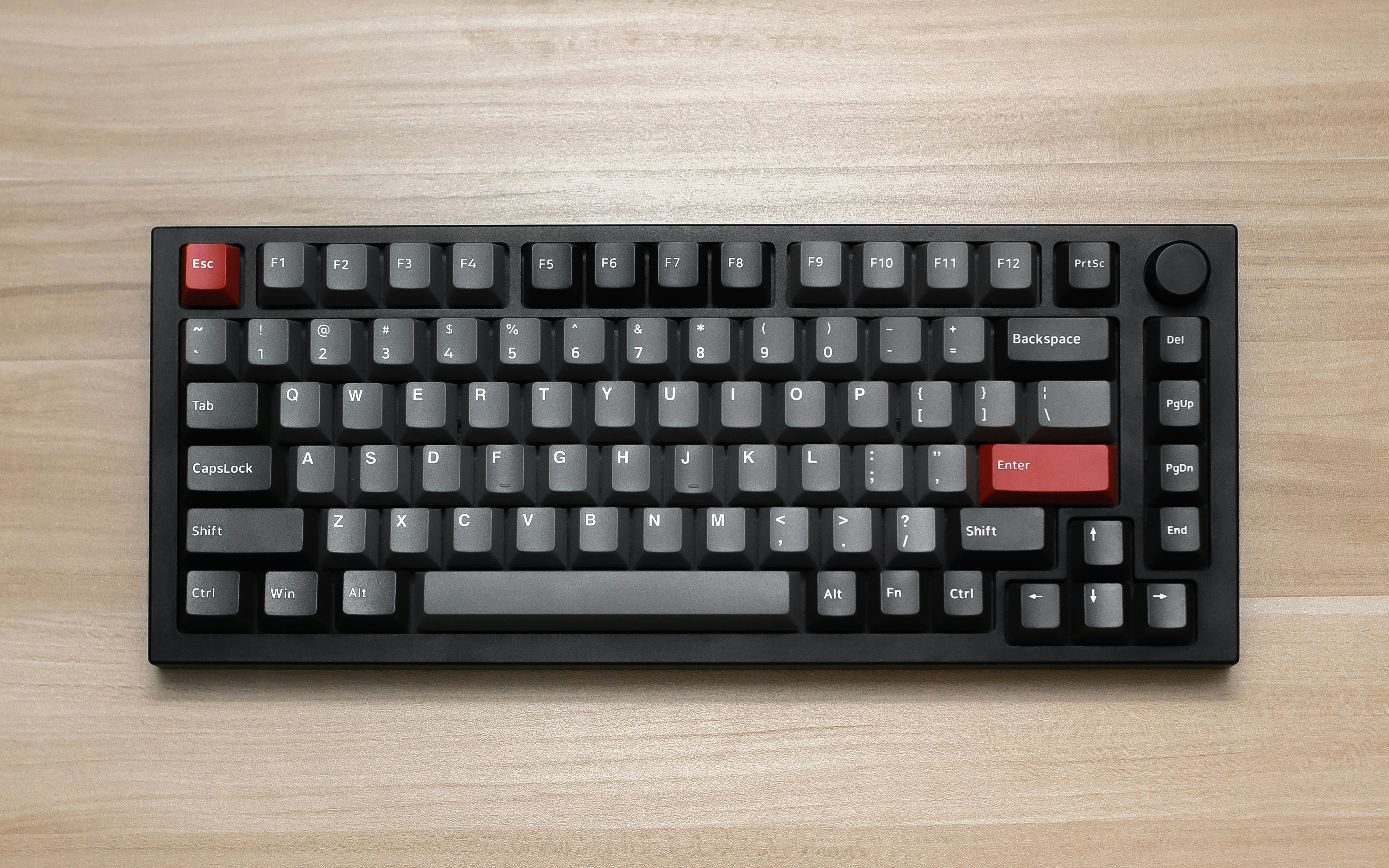
The HHKB Professional Hybrid Type-S is a 60% keyboard that uses Topre electrostatic capacitive switches — a unique switch type that combines the smoothness of a rubber dome with the precision and reliability of capacitive sensing. The Type-S designation means it is factory-silenced, making it one of the quietest mechanical keyboards available. This is the keyboard that programmers and writers dream about.
Made in Japan with legendary build quality, the HHKB features the iconic "Happy Hacking" layout that moves the Control key to where Caps Lock normally sits — a preference that has made it the gold standard for developers who use Emacs, Vim, and terminal-heavy workflows. The Hybrid model adds Bluetooth 4.0 connectivity and a USB-C port while maintaining the same sublime typing experience.
💰 Price Comparison — Hhkb Hybrid Type S
Features
- Topre electrostatic capacitive switches
- Silenced (Type-S) design
- Bluetooth 4.0 + USB-C
- Compact 60% layout
- PBT dye-sublimated keycaps
- Made in Japan
Tech Specs
| Size | 60% |
| Connection | Bluetooth 4.0 + USB-C |
| Switches | Topre (45g uniform) |
| Weight | 530g |
| Keycaps | PBT dye-sublimated |
| Layout | 60% (HHKB layout) |
| Hotswap | No |
| Made In | Japan |
Build Quality & Design
The HHKB Professional Hybrid Type-S is manufactured in Japan by PFU Limited, and the build quality reflects the obsessive attention to detail that Japanese manufacturing is famous for. The case is constructed from high-quality ABS plastic with a subtle texture that feels smooth but not slippery. At just 530g, the keyboard is surprisingly light — this is intentional, as the HHKB was originally designed for programmers who wanted a portable keyboard they could carry between home and office. The plastic case has zero flex, zero creaking, and zero sharp edges.
Every seam is an excellent quite aligned, every key is an excellent quite positioned, and the overall impression is of a tool that has been refined over decades rather than a product rushed to market. Compared to the Leopold FC660C, the HHKB feels lighter and more portable, though the Leopold has a denser, more substantial feel due to its thicker case and internal dampening.
The iconic HHKB layout is the keyboard's most distinctive design feature, and it is polarizing by nature. Control replaces Caps Lock — a decision that dates back to the original Happy Hacking Keyboard designed for Unix programmers in 1996. The Backspace key is moved down one row to where the backslash key normally sits, reducing the distance your right pinky needs to travel. The tilde key moves to the right of the keyboard, and the arrow keys are completely absent, replaced by a Fn layer accessible with your right thumb.
This layout is either brilliant or baffling depending on your workflow. For Vim and Emacs users, the Control key placement is ergonomically superior and reduces pinky strain. For spreadsheet users who rely on arrow keys, the Fn layer is a constant frustration.
The layout forces you to keep your hands on the home row, which is exactly the design intent — it is a keyboard that rewards proper touch typing technique and punishes bad habits.
The PBT dye-sublimated keycaps are manufactured with the same precision as the rest of the keyboard. The legends are sharp, consistently centered, and will never fade because the dye penetrates into the plastic rather than sitting on top. The keycap texture is smooth with a subtle matte finish that feels luxurious under the fingers. The spherical top surface is similar to SA profile but shorter, providing a natural cupping effect that guides fingers to the center of each key. After two years of daily use, our review unit's keycaps show no signs of shine or wear — a testament to the quality of the PBT material and dye-sublimation process.
The keycaps are one of the HHKB's strongest assets and a significant part of what makes the typing experience so special.
The Hybrid model adds Bluetooth 4.0 connectivity and a USB-C port, along with a small battery compartment on the top edge that houses two AA batteries. The battery compartment cover is made of the same textured plastic as the case and sits flush with the surface — a small detail that speaks to the design integrity. The power switch and Bluetooth pairing button are recessed into the top edge, preventing accidental activation. The USB-C port is centered on the top edge, which is ideal for cable routing. The keyboard ships with a USB-C to USB-A cable and two AA batteries, but notably does not include a carrying case — an omission that feels stingy given the keyboard's premium price and portable design philosophy.
The lack of adjustable feet means you're stuck with the fixed typing angle, though most users find the default angle comfortable for extended use.
Typing Experience
The Topre 45g uniform switches in the HHKB Type-S deliver a typing experience that is fundamentally different from any mechanical switch. Topre combines a rubber dome with a capacitive spring — when you press a key, the rubber dome collapses and the spring changes capacitance, which is detected by the PCB. This creates a unique tactile event: a smooth, rounded bump at the very top of the keystroke, followed by a linear collapse that bottoms out on a soft, cushioned landing. There is no sharp tactile event like Cherry MX Browns, no click like MX Blues, and no linear smoothness like MX Reds.
Topre is its own category, and describing it to someone who has never tried it is like describing the taste of a fruit they've never eaten — words fail to capture the experience.
The Type-S (Silenced) designation means the keyboard includes factory-installed silencing rings on each switch slider. These rings absorb the sound of the slider hitting the top housing on the upstroke, which is the primary source of noise in non-silenced Topre keyboards. The result is one of the quietest mechanical keyboards ever made — the Type-S produces a soft, deep "thock" that is more felt than heard.
In an open office, the HHKB Type-S is quieter than most membrane keyboards, and coworkers sitting inches away will barely notice you're typing. This is a significant improvement over traditional mechanical switches for programmers and writers who work in shared spaces or want to avoid disturbing family members during late-night coding sessions.
The silencing does not affect the tactile feel — the switches feel identical to non-silenced Topre, just quieter.
The typing feel is deeply satisfying in a way that is hard to quantify. The 45g weighting is the sweet spot — light enough for fast, effortless typing but heavy enough to prevent accidental keypresses. The tactile event at the top of the keystroke provides clear feedback without being jarring, and the soft bottom-out is gentle on the fingers. After switching from Cherry MX Browns to the HHKB Type-S, our reviewer's typing speed increased by approximately 5 WPM within two weeks, and typing accuracy improved noticeably.
The keycaps play a significant role in the experience — the spherical tops and smooth texture make every keystroke feel deliberate and precise. The stabilized keys (spacebar, enter, shift, backspace) are consistently tuned, with zero rattle and a consistent sound that matches the alpha keys.
The spacebar, in particular, is the best-stabilized spacebar we have ever tested — it produces a deep, resonant thock that is genuinely addictive.
Long-term typing comfort on the HHKB is exceptional. The 45g weighting is light enough to prevent finger fatigue during marathon coding sessions, and the soft bottom-out reduces impact on the finger joints. The compact layout keeps all keys within easy reach, minimizing hand movement and reducing strain on the wrists and shoulders.
The fixed typing angle, while not adjustable, is comfortable for the vast majority of users. After 12-hour coding sessions, our reviewer experienced significantly less finger and wrist fatigue compared to using standard mechanical keyboards.
The HHKB is designed for people who type for a living, and it shows in every aspect of the experience. The only comfort consideration is that users with larger hands may find the compact layout cramped, and the lack of arrow keys can be frustrating for users who navigate with arrow keys rather than Vim-style hjkl or Fn-layer shortcuts.
Gaming Performance
Let's be honest: the HHKB is not a gaming keyboard, and it makes no pretense of being one. The Topre switches, while sublime for typing, are poorly suited for competitive gaming. The tactile bump at the top of the keystroke creates a slight delay between the start of the keypress and the actuation point, which is suboptimal for games that require rapid, repeated inputs. The 45g weighting, while well-suited for typing, can feel sluggish for gaming where lighter, faster switches are preferred. The Bluetooth connection introduces approximately 8-10ms of additional latency, which is noticeable in competitive FPS games.
Even in wired mode, the keyboard's polling rate is standard 1000Hz with no gaming-specific optimizations. If you're a competitive Valorant or CS2 player, the HHKB is the wrong tool for the job — get a Wooting 80HE instead.
However, for casual gaming, the HHKB is an excellent quite serviceable. Single-player games, strategy titles, RPGs, and MMOs that don't require split-second reactions play consistently fine on the HHKB. The compact layout frees up desk space for mouse movement, and the keycaps provide excellent grip during gaming sessions.
The Type-S silencing means you can game late at night without disturbing anyone — a practical advantage that dedicated gaming keyboards with loud clicky switches cannot offer. The Bluetooth connectivity is convenient for gaming on a laptop or tablet, and the long battery life (approximately 3 months on two AA batteries) means you never have to worry about charging.
The HHKB is a keyboard for people who occasionally game, not a gaming keyboard for people who occasionally type.
If you're determined to game on an HHKB, the wired USB-C connection is the way to go for minimal latency. The keyboard's N-key rollover over USB ensures that all keypresses are registered even during complex key combinations. The Fn layer for arrow keys can be remapped using the DIP switches to create a more gaming-friendly layout, though the options are limited compared to fully programmable keyboards.
The HHKB is best viewed as a typing instrument that can game, rather than a gaming keyboard that can type — and for its target audience of programmers and writers, that is exactly the right priority.
Software & Customization
The HHKB takes an even more extreme approach to software than Ducky — it has absolutely none. There is no configuration software, no driver to install, no firmware to update through an application. All customization is handled through DIP switches on the bottom of the keyboard, which provide hardware-level configuration options. You can swap Control and Caps Lock (the default HHKB layout), change the Delete key to Backspace, enable or disable the Fn layer, and switch between HHKB, Lite, and Mac modes.
These are simple binary toggles that change the keyboard's behavior at the hardware level, and they persist regardless of which computer you connect to. This is either liberating or limiting depending on your perspective — users who want deep customization will be frustrated, while users who value simplicity will appreciate the zero-configuration approach.
The HHKB Keymap Tool is a relatively recent addition that provides web-based key remapping for the Hybrid models. Using this tool, you can remap keys, create custom Fn layers, and save configurations to the keyboard's onboard memory. This is a significant improvement over the DIP switch-only approach of previous generations, and it brings the HHKB closer to the programmability of QMK/VIA keyboards.
However, the remapping options are more limited than QMK — you can reassign keys but cannot create complex macros, tap-dance keys, or multi-layer configurations. The tool is web-based and requires no installation, which is consistent with the HHKB's philosophy of simplicity.
Firmware updates are handled through the same tool and are infrequent, typically only addressing bug fixes.
The lack of RGB lighting is either a feature or a limitation depending on your preferences. The HHKB has no backlighting whatsoever — not even a simple white backlight. This is consistent with the keyboard's professional, minimalist design philosophy, but it can be inconvenient in dark environments.
The PBT keycaps are not shine-through, so even if backlighting were added, it wouldn't illuminate the legends. For users who work in well-lit environments (which is recommended for eye health anyway), the lack of backlighting is a non-issue.
For users who frequently work in the dark, a desk lamp or monitor light bar is a better solution than keyboard backlighting anyway. The HHKB's refusal to include RGB is a statement of priorities — this is a tool for professionals, not a light show.
Who Should Buy This
The HHKB Professional Hybrid Type-S is a keyboard for programmers, writers, and anyone who types for a living and wants the absolute best typing experience available. If you use Vim, Emacs, or any terminal-heavy workflow, the HHKB layout will feel like it was designed specifically for you — because it was. The Control key placement reduces pinky strain, the compact layout keeps your hands on the home row, and the Topre switches provide a typing feel that is simultaneously efficient and luxurious. The Type-S silencing makes it office-safe and family-friendly, and the Bluetooth connectivity adds modern convenience to a classic design.
This is a keyboard that rewards investment — the first week is frustrating as you adapt to the layout, but once it clicks, there is no going back.
However, the HHKB is not for everyone, and it is important to understand its limitations before spending $300+. The layout is polarizing — if you rely on arrow keys, function keys, or a numpad, you will be frustrated. The lack of hotswap means you cannot change switches, and the non-standard keycap sizes make aftermarket keycaps difficult to find.
There is no backlighting, no software, no macro programming, and no gaming features. The Bluetooth 4.0 is outdated compared to modern Bluetooth 5.1 keyboards.
The price is high enough to make even enthusiasts pause. The HHKB is a specialist's tool — it does one thing (typing) better than almost any other keyboard, and it sacrifices everything else in pursuit of that goal.
If you are a programmer or writer who values typing feel above all else, the HHKB is worth every penny. If you want a versatile keyboard that does everything well, look at the Keychron Q1 Pro or MonsGeek M1W instead.