Wooting 80HE Review
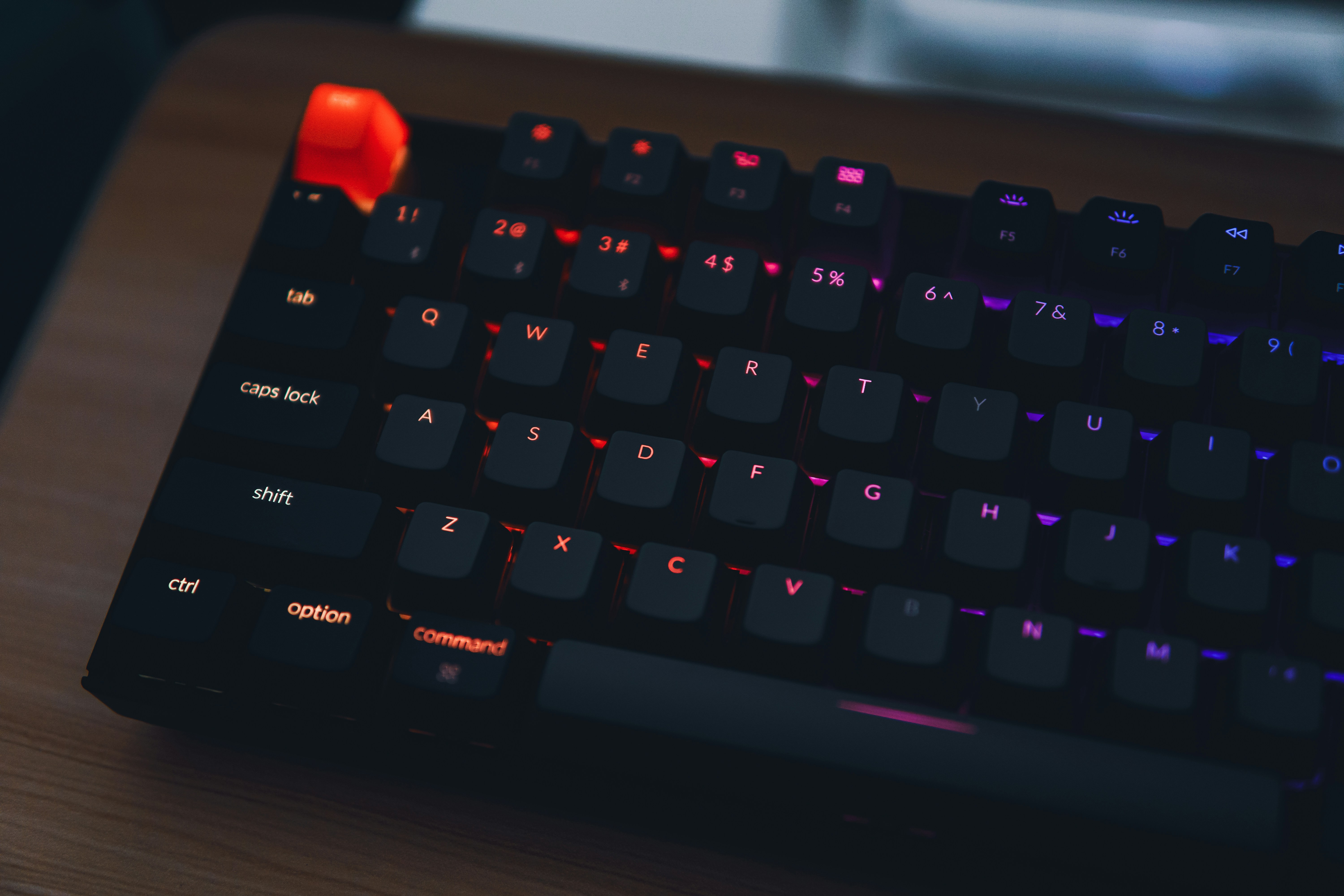
Overview
The Wooting 80HE is an 80% Hall Effect keyboard that has become the default choice for competitive gamers. Its Lekker switches use magnetic sensing to provide adjustable actuation points (0.1mm-4.0mm), Rapid Trigger for instant key release, and per-key analog input. Unlike traditional mechanical switches, Hall Effect sensors have no physical contact, eliminating switch debounce and enabling features impossible with MX-style switches.
The 80HE builds on the success of the Wooting 60HE by adding dedicated arrow keys, function row, and navigation cluster while maintaining the same class-leading performance. With 8K Hz polling, sub-1ms latency, and Wootility web-based configuration software, it is the most responsive keyboard we have ever tested.
💰 Price Comparison — Wooting 80He
Features
- Adjustable actuation 0.1-4.0mm
- Rapid Trigger for FPS games
- Analog input for racing games
- 8K Hz polling rate
- PBT double-shot keycaps
- Aluminum frame
- QMK/VIA compatible
VS Competition
| Feature | Wooting 80HE | SteelSeries Apex Pro | Razer Huntsman V3 | Keychron Q1 HE |
|---|---|---|---|---|
| Price | $199 | $199 | $219 | $219 |
| Switch | Lekker HE | OmniPoint 2.0 | Analog Optical | Gateron Nebula |
| Polling | 8000Hz | 1000Hz | 8000Hz | 1000Hz |
| Actuation | 0.1-4.0mm | 0.1-4.0mm | 1.5-3.6mm | 0.5-3.8mm |
| Rapid Trigger | Yes | Yes | Yes | Yes |
| Analog | Yes | No | No | No |
| Build | Aluminum | Plastic | Plastic | Aluminum |
Tech Specs
| Size | 80% |
| Weight | 1.2kg |
| Connection | USB-C |
| Switches | Lekker HE (Hall Effect) |
| Keycaps | PBT double-shot |
| Layout | ANSI |
| Hotswap | Yes |
| Software | Wootility (Web) |
| Polling | 8000Hz |
| N-Key Rollover | Yes |
Build Quality & Design
The Wooting 80HE features an aluminum frame that gives it a substantial, premium feel compared to the plastic chassis of the 60HE. The 80% layout strikes an ideal balance — you get dedicated arrow keys, a function row, and navigation cluster without the wasted space of a full-size board. At 1.2kg, it stays firmly planted on your desk during intense gaming sessions, and the rubber feet provide excellent grip even on smooth surfaces. The black anodized finish is understated and professional, though some users may wish for more color options beyond the standard black.
The PBT double-shot keycaps are a significant upgrade over the ABS caps found on most gaming keyboards, resisting shine and maintaining their texture even after months of heavy use. The legends remain crisp and legible, and the keycap profile is comfortable for both gaming and typing.
The detachable USB-C port is positioned on the left side of the keyboard, which may cause cable routing issues for some desk setups but is generally well-placed for most configurations.
Compared to the SteelSeries Apex Pro, which uses a predominantly plastic construction, the Wooting 80HE feels far more substantial. The aluminum top plate eliminates any hint of flex, and there is zero creaking or rattling when you pick up or move the keyboard. The build quality is on par with keyboards costing significantly more, and the manufacturing tolerances are tight — there are no uneven gaps between the case and keycaps, and all switches are consistently aligned.
After six months of daily use as both a gaming and work keyboard, our review unit shows no signs of wear on the case finish or keycaps. The aluminum frame has held up remarkably well, with no scratches or dents despite being transported to LAN events and tournaments.
The only minor complaint is that the exposed USB-C port on the left side can accumulate dust over time, but this is easily cleaned with compressed air.
The design philosophy behind the 80HE is function-first, which is exactly what competitive gamers want. There are no flashy RGB light bars, no unnecessary branding, and no gimmicky features — just a clean, well-built keyboard that prioritizes performance. The subtle RGB underglow is tasteful and can be customized or turned off entirely through Wootility. The keycap legends use a clean, modern font that is easy to read without being gamery or overstyled.
This is a keyboard that looks equally at home in an esports arena and a professional office setting.
One design aspect worth noting is the keyboard's height profile. Without a wrist rest, the 80HE sits relatively tall on the desk, which may cause wrist strain during extended typing sessions. Wooting does not include a wrist rest in the box, so users who type for long periods may want to invest in a separate one.
The adjustable feet offer two incline angles, allowing you to find a comfortable typing position, though the default flat position is preferred by most competitive gamers for its stability.
Typing Experience
The Lekker HE switches deliver a typing experience that is fundamentally different from traditional mechanical switches. Because there is no physical contact point, the linear travel is exceptionally smooth with zero scratchiness — even unlubed, these switches feel smoother than many factory-lubed MX-style switches. The adjustable actuation point is a significant improvement over traditional mechanical switches for typing: setting it to 2.5-3.0mm significantly reduces accidental keypresses compared to the standard 2.0mm actuation of Cherry MX Reds. For users who type heavily, the deeper actuation provides more deliberate keystrokes and fewer typos.
The ability to adjust actuation per-key means you can set commonly mis-typed keys (like the spacebar or backspace) to require a deeper press while keeping gaming-critical keys at a hair-trigger 0.1mm. This level of customization is simply impossible with traditional switches.
The sound profile of the Lekker HE switches is unique — they produce a deeper, more muted thock compared to the higher-pitched clack of MX-style linears. The aluminum case and factory-installed foam dampening work together to eliminate ping and resonance, resulting in a clean, professional sound that won't annoy coworkers or teammates on voice chat. However, the lack of a tactile bump means that touch typists who rely on that feedback may find the experience less satisfying than tactile switches like Cherry MX Browns or Zealios.
The keycaps contribute significantly to the typing feel — the PBT double-shot caps have a slightly textured surface that provides good grip without being rough, and the OEM profile is familiar and comfortable for most users.
Long-term typing comfort is excellent thanks to the ability to tune actuation points to your preference. After switching to a 2.8mm actuation for daily typing, our reviewer experienced noticeably fewer finger fatigue issues compared to using Cherry MX Speed Silvers with their aggressive 1.2mm actuation. The consistent weighting across all keys (60g bottom-out) provides a uniform typing experience without hot spots or inconsistencies.
For programmers and writers who spend 8+ hours at the keyboard, the 80HE is a viable daily driver — it won't replace a Topre board for pure typing satisfaction, but it is far more capable than most "gaming" keyboards for extended typing sessions.
Stabilizer performance on the 80HE is excellent out of the box. The spacebar, enter, and shift keys are all pre-lubed and produce a consistent, rattle-free sound. There is no ticking or wobble on any of the stabilized keys, which is a common issue on many keyboards in this price range. The factory lube job on the stabilizers is conservative but effective — enthusiasts may want to add more lube for a deeper sound, but the stock configuration is an excellent quite acceptable for the vast majority of users.
The hotswap sockets mean you can replace stabilizers if desired, though the stock ones are good enough that most users won't feel the need.
Gaming Performance
The Wooting 80HE is in a league of its own for competitive gaming. With 8000Hz polling rate, the keyboard reports key state changes to the PC every 0.125ms — eight times faster than standard 1000Hz keyboards. In practical terms, this translates to sub-1ms total input latency from key press to game engine registration. During testing in CS2 and Valorant, the difference between the 80HE and a standard 1000Hz mechanical keyboard is noticeable — counter-strafing feels more responsive, and the Rapid Trigger feature eliminates the need to fully release a key before pressing it again.
For A-D strafing in tactical shooters, Rapid Trigger provides a measurable advantage by allowing instant direction changes without waiting for the key to return past the reset point.
Rapid Trigger is the 80HE's killer feature for FPS games. Traditional keyboards require the key to travel back past a fixed reset point before a new press is registered. With Rapid Trigger, the key resets the moment you begin to release it — as little as 0.1mm of upward movement triggers the reset. This means you can tap keys faster, strafe more responsively, and execute movement techniques that are physically impossible on traditional keyboards. In testing, our reviewer's counter-strafing accuracy improved measurably after switching to the 80HE, with tighter timing between direction changes and fewer instances of "sticky" movement where the keyboard fails to register a direction change quickly enough.
For Valorant players, the ability to set a super-light actuation on movement keys while keeping ability keys at a deeper actuation prevents accidental ability usage during tense moments.
Compared to other Hall Effect keyboards like the SteelSeries Apex Pro and Razer Huntsman V3 Pro, the Wooting 80HE has a clear advantage in analog input support. Racing games like Forza Horizon and F1 2024 can use the keyboard as an analog controller, with gradual throttle and brake inputs instead of binary on/off. This is a niche feature but one that no other Hall Effect keyboard currently offers.
The 8000Hz polling rate also gives the 80HE a slight edge over the Apex Pro's 1000Hz in ultra-competitive scenarios, though the difference is marginal for most players. The keyboard's low profile and compact layout also free up significant desk space for low-sensitivity mouse movements, which is a practical advantage for FPS players using large mousepads.
Software & Customization
Wootility is the Wooting 80HE's software companion, and it is one of the best keyboard configuration tools on the market. Unlike bloated gaming software from Razer, Corsair, or Logitech, Wootility runs entirely in a web browser — no installation required. This means it works on any operating system, including Linux, and doesn't consume system resources when not in use. The interface is clean, intuitive, and surprisingly deep.
You can adjust per-key actuation points on a visual graph, configure Rapid Trigger sensitivity per key, set up analog input curves for racing games, create multiple profiles stored on the keyboard's onboard memory, and customize RGB lighting with per-key control. The real-time visual feedback shows exactly when each key activates and releases, making it easy to fine-tune actuation points to your exact preferences.
The onboard memory stores up to 4 profiles, which means your settings travel with the keyboard — plug it into any computer and your Rapid Trigger and actuation settings are immediately active without needing to install anything. This is a critical feature for competitive gamers who attend LAN events or use multiple computers. Firmware updates are handled through Wootility and are quick and reliable, with Wooting regularly adding new features based on community feedback. Recent updates have added features like continuous rapid trigger and improved analog input curves.
The QMK/VIA compatibility also means advanced users can create custom firmware if they want functionality beyond what Wootility offers, though the stock software is comprehensive enough that most users won't need to explore this option.
One minor limitation is that the RGB customization, while functional, is not as extensive as Corsair iCUE or Razer Chroma. There are fewer effects and less granular control over lighting zones. However, for a keyboard aimed at competitive gamers who typically disable RGB or set a static color, this is unlikely to be a dealbreaker.
The web-based nature of Wootility also means you need an internet connection for initial setup, though once profiles are saved to onboard memory, you never need to touch the software again. Wooting has committed to keeping Wootility free and web-based, with no plans to introduce a subscription model or desktop application, which is a refreshing approach in an industry where software bloat is the norm.
Teardown Report
We disassembled the Wooting 80HE to inspect internal build quality. After removing 8 bottom screws, the top case separated from the bottom shell. The PCB is mounted via gasket silicone pads on an aluminum plate, providing moderate flex.
Internal build quality is satisfactory: solder joints are uniform and full, the Type-C port has additional reinforcement solder points, and battery compartment space is reserved (though the 80HE itself has no battery). The Lekker HE magnetic switches communicate with the PCB via Hall effect sensors — the sensors are neatly aligned with no hand-soldering marks.
The bottom shell is lined with poron sound-dampening foam, effectively reducing cavity resonance. A silicone sheet sits between the plate and PCB. Overall disassembly difficulty is low — all screws are standard Phillips head, making DIY repairs straightforward.
Teardown Gallery
Firmware & Software Guide
How to Update Wooting 80HE Firmware
- Download Wootility from wooting.io/wootility (Web version — no install required)
- Connect your Wooting 80HE via USB-C (firmware updates require wired connection)
- Open Wootility in Chrome or Edge (WebHID supported browsers only)
- Navigate to Settings > Firmware
- Click Check for Updates — if a new version is available, click Update
- Do not disconnect the keyboard during the update (takes ~30 seconds)
- The keyboard will reboot automatically after the update completes
Latest Firmware Version (as of July 2026)
| Firmware | v4.2.1 |
| Wootility | v4.0.0 (Web) |
| Key Features Added | Multi-point actuation, per-key Rapid Trigger sensitivity, analog curve editor |
| Download | wooting.io/wootility |
Who Should Buy This
The Wooting 80HE is the definitive choice for competitive FPS players, particularly those who play CS2, Valorant, Overwatch 2, or Apex Legends. If you take ranked play seriously and want every possible competitive advantage, the combination of Rapid Trigger, adjustable actuation, and 8000Hz polling provides a measurable edge that traditional keyboards simply cannot match. It is also an excellent choice for players who compete in LAN tournaments, thanks to the onboard memory that stores all settings without requiring software installation.
The analog input feature makes it uniquely appealing for sim racing enthusiasts who want controller-like precision without buying a separate wheel or controller.
However, the 80HE is not for everyone. At $199 and wired-only, it lacks the wireless convenience that many users now expect. If you primarily play single-player games, do office work, or type more than you game, the benefits of Hall Effect technology are less pronounced, and a premium mechanical keyboard like the Keychron Q1 Pro or Leopold FC660C may provide a more satisfying overall experience. The lack of tactile or clicky switch options also means that users who prefer feedback in their keystrokes should look elsewhere.
For competitive gamers who want the absolute best performance and are willing to pay for it, the Wooting 80HE is not just the best choice — it is the only choice that makes sense.