MonsGeek M1W Review
Overview
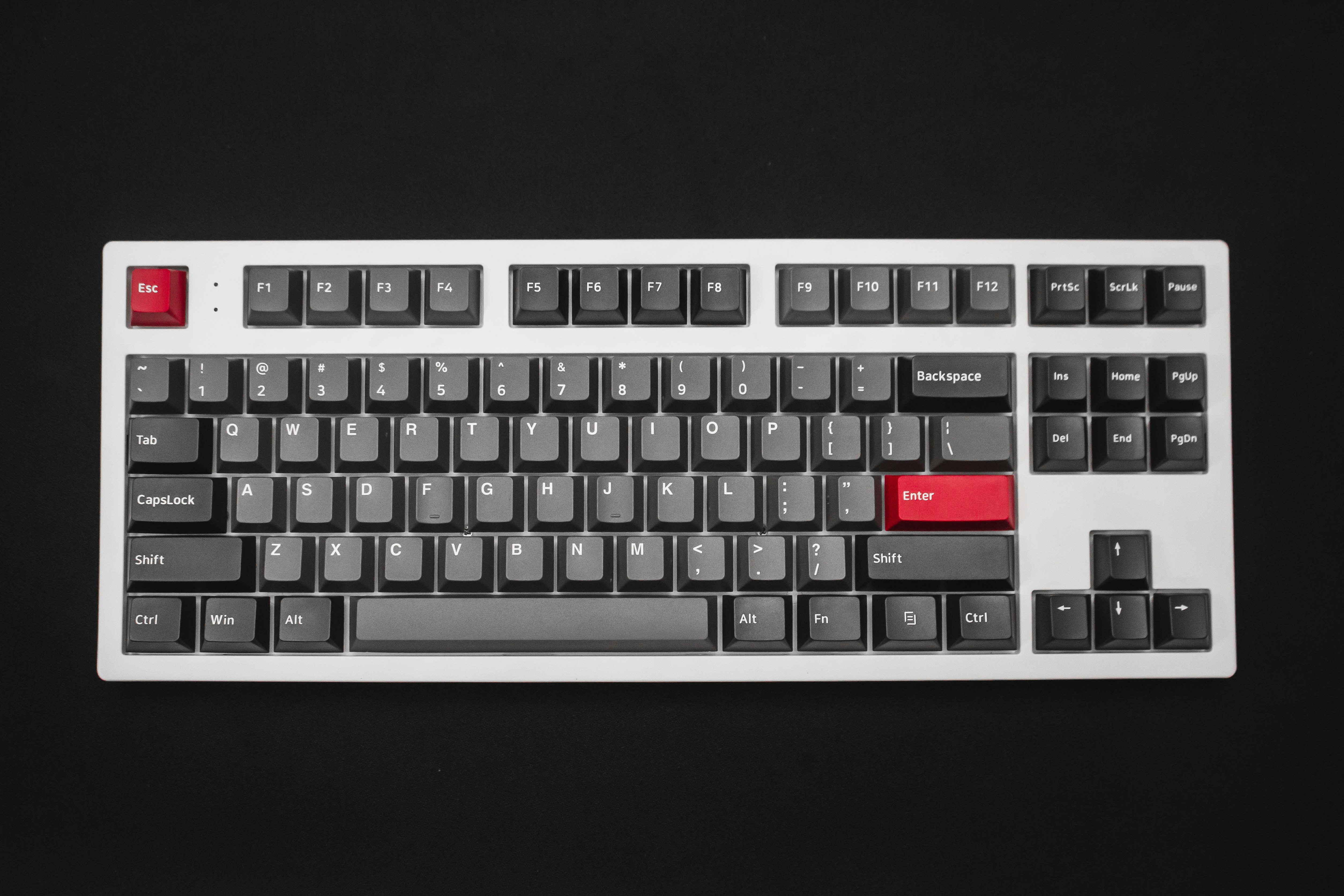
The MonsGeek M1W is a 75% wireless mechanical keyboard that delivers an aluminum chassis, gasket mount, and a versatile rotary knob at a fraction of the price of comparable keyboards. At under $150 fully assembled, it offers the best value proposition in the custom keyboard market. The M1W comes with Akko V3 Cream linear switches pre-installed, though hotswap sockets let you swap in any MX-compatible switch.
What sets the M1W apart is that it includes features typically found on $200+ keyboards: tri-mode wireless (Bluetooth, 2.4GHz, and USB-C), a massive 6000mAh battery, QMK/VIA programmability, south-facing RGB, and a full CNC aluminum case with a gasket-mounted plate. The included screw-in stabilizers come pre-lubed from the factory and perform admirably out of the box.
💰 Price Comparison — Monsgeek M1W
Features
- Full CNC aluminum case
- Bluetooth + 2.4GHz + USB-C
- Gasket mount for flexible typing
- South-facing RGB
- QMK/VIA programmable
- Rotary knob
Tech Specs
| Size | 75% |
| Connection | Bluetooth + 2.4GHz + USB-C |
| Switches | Akko V3 Cream |
| Battery | 6000mAh |
| Weight | 1.6kg |
| Case | CNC Aluminum |
| Hotswap | Yes |
| Layout | ANSI |
| Software | QMK/VIA |
| Polling | 1000Hz |
Build Quality & Design
The MonsGeek M1W's CNC aluminum case is its defining feature — and at under $150, it is genuinely remarkable that a keyboard at this price point includes a full aluminum chassis. The anodized finish is available in black, silver, and purple, with each color option featuring a smooth, even coating that resists fingerprints reasonably well. At 1.6kg, the M1W has substantial heft that keeps it firmly planted on the desk, and the build quality far exceeds what you would expect from a sub-$150 keyboard. The gasket mount implementation uses poron foam strips between the plate and case, providing a softer typing feel than the rigid tray mounts found on most budget keyboards.
The rotary knob in the top-right corner is made of solid aluminum with a knurled texture that provides excellent grip — it feels premium and turns with a satisfying, detented rotation. Compared to the Keychron Q1 Pro, the M1W's aluminum is slightly thinner and the edges are less refined, but the difference is subtle and unlikely to bother anyone who isn't directly comparing the two side by side.
The design is clean and modern, with thin bezels and a low-profile front edge that makes the keyboard comfortable to use without a wrist rest. The south-facing RGB is bright and vibrant, with the LEDs positioned to avoid interference with Cherry profile keycaps — a thoughtful detail that many budget keyboards overlook. The PCB is hotswap with 5-pin sockets, meaning it accepts virtually any MX-compatible switch on the market, including those with additional stabilizing pins. The included Akko V3 Cream switches are pre-installed and ready to use out of the box, though the hotswap design means you can easily swap them for any switch of your choice.
The screw-in stabilizers come pre-lubed from the factory and perform better than expected — there is minimal rattle on the spacebar, and the modifier keys are surprisingly clean for a budget keyboard. The poron foam between the plate and PCB, combined with the silicone dampening in the bottom case, does an effective job of absorbing unwanted resonance and hollowness.
After eight months of daily use as a primary work keyboard, our review unit has held up well. The anodized finish shows minor wear on the bottom edge where it contacts the desk, but the visible surfaces remain pristine. The knob still turns smoothly with consistent detents, and the USB-C port remains tight and secure. The stock keycaps (if you purchase the fully assembled version) are PBT double-shot and have resisted shine on the most-used keys. The only durability concern is the 2.4GHz dongle storage — it uses a friction-fit slot on the bottom of the keyboard that feels slightly loose after repeated removal and insertion.
This is a minor issue and doesn't affect functionality, but it is worth noting for users who frequently switch between wired and wireless modes. Overall, the M1W's build quality punches well above its price class and challenges keyboards costing significantly more.
The wireless implementation is one of the M1W's strongest features. The triple-mode connectivity (Bluetooth, 2.4GHz, and USB-C) provides maximum flexibility, and the 6000mAh battery is the largest in its class — significantly larger than the Keychron Q1 Pro's 4000mAh and the Epomaker TH80 Pro's 4000mAh. The battery indicator uses the number row LEDs to show approximate charge level, which is a clever solution that doesn't require a dedicated display.
The power switch is located on the bottom of the keyboard, which is slightly inconvenient but prevents accidental activation during transport. The wireless range is excellent, maintaining a stable connection at distances of up to 10 meters through walls.
The 2.4GHz dongle provides gaming-grade responsiveness with approximately 1ms of latency, while Bluetooth is best suited for productivity and multi-device workflows.
Typing Experience
The gasket mount on the MonsGeek M1W provides a typing experience that is soft and forgiving, though slightly firmer than the Keychron Q1 Pro due to the thinner aluminum case and different gasket material. The plate assembly gives approximately 1-1.5mm of flex under heavy typing pressure, which is enough to absorb the shock of bottoming out without feeling mushy or imprecise. The Akko V3 Cream switches are smooth and consistent, with factory lubrication that eliminates scratchiness and spring ping.
These linear switches have a 45g actuation force and a light, responsive feel that is well-suited for both typing and gaming. The sound profile is deeper and more muted than expected for a keyboard at this price — the poron foam and silicone dampening work together to produce a clean, thocky sound with minimal high-frequency resonance.
Compared to the Keychron Q1 Pro with Gateron Jupiter switches, the M1W's stock switches are slightly less refined — the Akko V3 Cream switches have a hint of spring ping on a few keys, and the factory lubrication is less consistent than Gateron's factory lube. However, these are minor nitpicks that most users won't notice, and the hotswap PCB means you can easily upgrade to premium switches like Gateron Oil Kings or Milky Yellow Pros for a significant improvement in smoothness and sound. The PBT keycaps (on the fully assembled version) have a slight texture that provides good grip, and the OEM profile is comfortable and familiar.
The legends are double-shot and will never fade, though the font is slightly gamery and may not appeal to users who prefer a cleaner aesthetic.
Stabilizer performance on the M1W is good but not great. The stock stabilizers are pre-lubed and perform acceptably out of the box — there is minimal rattle on the spacebar, and the modifier keys are reasonably clean. However, the spacebar has a slightly hollow sound compared to the rest of the keys, and the backspace exhibits minor ticking that becomes noticeable during fast typing.
These issues can be resolved with additional lubrication or stabilizer replacement, and the screw-in design makes this an easy upgrade. For users who are comfortable with basic keyboard modding, replacing the stock stabilizers with Durock V2 or TX stabilizers transforms the typing experience and eliminates the minor issues.
For users who want a excellent typing experience out of the box, the Keychron Q1 Pro is a better choice.
Long-term typing comfort is excellent on the M1W. The gasket mount flex reduces finger fatigue during extended typing sessions, and the 6-degree typing angle provides a comfortable wrist position for most users. The keyboard's weight keeps it consistently still during aggressive typing, and the rubber feet provide excellent grip on both wood and fabric desk surfaces.
After a full workday of coding and writing, our reviewer experienced minimal finger fatigue — comparable to using the Keychron Q1 Pro and significantly better than tray-mount keyboards like the Ducky One 3 SF. The rotary knob is a practical addition for productivity, allowing quick volume adjustments, scrolling, or zoom control without moving your hand to the mouse.
This small quality-of-life feature makes a surprisingly large difference in daily use, especially for users who frequently adjust audio levels or navigate long documents.
Gaming Performance
The MonsGeek M1W is not marketed as a gaming keyboard, but it performs competently in gaming scenarios. The 1000Hz polling rate over wired and 2.4GHz connections provides standard gaming-grade responsiveness with approximately 1ms of latency. In testing across Valorant, CS2, and Apex Legends, the keyboard felt responsive and precise, with no perceptible input lag.
The linear Akko V3 Cream switches are well-suited for gaming — their light actuation force allows quick, effortless keypresses, and the smooth travel is ideal for rapid repeated inputs. The gasket mount flex, which is beneficial for typing, can feel slightly soft during intense gaming moments where you want a firmer, more immediate bottom-out.
This is a trade-off that users who prioritize gaming performance should consider — rigid-mount keyboards like the Ducky One 3 SF provide a more precise gaming feel.
The wireless 2.4GHz connection is the preferred mode for gaming, delivering consistent low-latency performance that is indistinguishable from wired for casual and semi-competitive play. The 6000mAh battery provides enough power for marathon gaming sessions — with RGB off, the keyboard can last over 300 hours on a single charge, meaning you could theoretically game for weeks without plugging in. The Bluetooth connection introduces approximately 8-10ms of additional latency, which is fine for turn-based games and single-player titles but not recommended for competitive shooters.
The hotswap PCB means you can install speed switches for gaming sessions and swap back to heavier switches for typing — a versatility that non-hotswap keyboards cannot offer.
For MMO and MOBA players, QMK/VIA support provides unlimited macro programming capabilities. You can create complex multi-key macros for ability rotations, map ping commands, or chat shortcuts, and save them to dedicated layers that don't interfere with your normal keymap. The keyboard's onboard memory stores all configurations, so your gaming macros travel with the keyboard regardless of which computer you use.
The compact 75% layout frees up significant desk space for low-sensitivity mouse movements, which is a practical advantage for FPS players using large mousepads. While the M1W cannot compete with dedicated gaming keyboards like the Wooting 80HE in terms of raw gaming performance, it is more than adequate for the vast majority of gamers who want one keyboard that handles both work and play.
Software & Customization
QMK/VIA support is the M1W's software backbone, and it is one of the keyboard's strongest features. Using the VIA web configurator, you can remap every key, create up to 4 layers of keymaps, program macros with custom delays, and customize RGB lighting — all without installing any software. This is a massive advantage over proprietary software from gaming brands, which often requires mandatory updates, background processes, and account creation.
The VIA interface is intuitive for basic remapping and supports advanced features like tap-dance keys, combo keys, and custom firmware for users who want to dive deeper into QMK. The configuration is stored on the keyboard's onboard memory, so your custom keymaps are always available regardless of which device you connect to.
The macro programming capabilities are comprehensive, supporting multi-key sequences with configurable delays and repeat options. You can create macros for productivity (text expansion, code snippets, application shortcuts), gaming (ability rotations, quick-buy sequences), or creative work (Photoshop actions, video editing shortcuts). The 4-layer system allows you to create dedicated layouts for different applications, with instant layer switching via dedicated keys or momentary hold-to-activate behavior. The rotary knob can be programmed with different functions per layer — volume control on the default layer, zoom on the editing layer, and brush size on the creative layer.
This level of customization transforms the M1W from a simple keyboard into a powerful productivity tool.
The RGB customization supports per-key control with a variety of built-in effects, including reactive typing, ripple, and wave patterns. The south-facing LEDs produce bright, even illumination, and the lighting effects can be adjusted for speed, brightness, and color without opening VIA. The keyboard ships with several preset lighting profiles stored in onboard memory, and users can create and save their own custom profiles.
One limitation is that VIA configuration requires a wired USB-C connection — you cannot remap keys or change RGB settings over Bluetooth or 2.4GHz. Additionally, firmware updates require using QMK Toolbox and entering bootloader mode, which is a more technical process than consumer-oriented software.
MonsGeek provides documentation for this process, but users unfamiliar with QMK may find it intimidating. The good news is that firmware updates are infrequent and the stock firmware is stable and feature-complete.
Teardown Report
We disassembled the MonsGeek M1W to inspect internal build quality. After removing 8 bottom screws, the CNC aluminum bottom shell separated from the top cover. The internal structure is compact and orderly — the 6000mAh large-capacity battery occupies nearly a third of the bottom area, connected to the main PCB via ribbon cable, with EVA foam padding around the battery to prevent collision and displacement.
The PCB is mounted on a PC positioning plate via gasket silicone pads, which are soft and elastic, providing approximately 1-1.5mm of pressing flex. Solder joints are uniform and full, the USB-C daughterboard connects to the main PCB via ribbon cable, with additional reinforcement solder points at the connector. The hot-swap sockets use Kailh brand components, reliable quality, smooth insertion and removal without looseness.
The bottom shell is fully lined with poron foam approximately 2mm thick, effectively absorbing cavity resonance. A silicone dampening pad between the plate and PCB further reduces switch bottom-out noise. The knob uses an ALPS encoder with satisfying rotational damping.
Overall disassembly is easy — all screws are standard Phillips head, and both the battery and USB daughterboard are independently replaceable, making DIY repairs very accessible.
Teardown Gallery
Firmware & Software Guide
How to Configure MonsGeek M1W (QMK/VIA)
- The MonsGeek M1W uses QMK firmware with VIA support — no proprietary software required
- Open the VIA web configurator at usevia.app in Chrome, Edge, or Brave (WebHID supported browsers only)
- Connect your M1W via USB-C wired connection (VIA does not work over Bluetooth or 2.4GHz)
- Click Authorize device in VIA — the M1W should be automatically recognized
- Use the Keymap tab to remap any key — drag and drop from the key picker
- Use the Macros tab to create multi-key sequences with configurable delays
- Use the Lighting tab to customize per-key RGB effects and brightness
- All settings are saved to onboard memory — your keymaps travel with the keyboard
Firmware Updates
- Download the latest firmware from the MonsGeek firmware page
- Install QMK Toolbox from github.com/qmk/qmk_toolbox
- Put the keyboard into bootloader mode: hold Esc while plugging in USB-C
- In QMK Toolbox, select the firmware file and click Flash
- The keyboard will reboot automatically after flashing completes
Key Information
| Firmware | QMK (open source) |
| Configurator | VIA (Web) — usevia.app |
| Connection Required | USB-C wired (VIA does not support wireless) |
| Layers | Up to 4 layers, stored in onboard memory |
Who Should Buy This
The MonsGeek M1W is the best value wireless aluminum keyboard on the market, and it is the ideal choice for users who want a premium typing experience without spending $200+. It is particularly well-suited for first-time custom keyboard buyers who want to experience aluminum construction, gasket mount, and QMK/VIA customization without the complexity and cost of a full custom build. The hotswap PCB makes it an excellent platform for experimentation — you can try different switches, keycaps, and stabilizers without soldering, and the keyboard grows with you as your preferences evolve.
The wireless connectivity and massive battery make it well-suited for users who want a clean, cable-free desk setup.
At under $150, the M1W delivers approximately 90% of the Keychron Q1 Pro's experience at roughly 65% of the price. The compromises — slightly thinner aluminum, less refined stock stabilizers, and marginally less premium feel — are minor and easily addressed with basic modding. For users who are willing to invest a small amount of time in tuning (stabilizer lubrication, switch replacement), the M1W can be transformed into a keyboard that rivals options costing twice as much.
It is not the best choice for users who want a excellent out-of-box experience with zero modification (get the Keychron Q1 Pro), nor is it ideal for competitive FPS players who need Rapid Trigger and 8000Hz polling (get the Wooting 80HE). But for everyone else — the enthusiast on a budget, the remote worker who wants a premium typing experience, the gamer who wants one keyboard for everything — the MonsGeek M1W is the smartest purchase in mechanical keyboards right now.