Epomaker TH80 Pro Review
Overview
The Epomaker TH80 Pro is a budget 75% wireless mechanical keyboard that packs features usually reserved for keyboards costing twice as much. It includes triple-mode wireless (Bluetooth, 2.4GHz, and USB-C), a smart LCD display screen, a programmable rotary knob, Epomaker Budgerigar linear switches, hotswap sockets, and a 4000mAh battery — all for under $90. For users who want wireless freedom with modern features at an accessible price, the TH80 Pro is hard to beat.
The smart display shows battery level, connection mode, and system information. The rotary knob can be programmed for volume, zoom, or other functions. The Budgerigar switches are Epomaker's in-house linear switches with a smooth factory lube job and a pleasant sound profile.
While the plastic case lacks the premium feel of aluminum, it keeps the weight manageable for a wireless keyboard you might move around.
💰 Price Comparison — Epomaker Th80 Pro
Features
- Bluetooth + 2.4GHz + USB-C triple-mode
- Smart LCD display screen
- Programmable rotary knob
- Epomaker Budgerigar linear switches
- Hotswap PCB
- 4000mAh battery
Tech Specs
| Size | 75% |
| Connection | Bluetooth + 2.4GHz + USB-C |
| Switches | Budgerigar linear |
| Battery | 4000mAh |
| Weight | 800g |
| Case | ABS Plastic |
| Hotswap | Yes |
| Layout | ANSI |
| Software | Epomaker Driver |
Build Quality & Design
The Epomaker TH80 Pro is a keyboard that prioritizes features over premium materials, and the build quality reflects this philosophy. The ABS plastic case is functional and well-constructed, with no creaking or sharp edges, but it lacks the density and premium feel of aluminum keyboards. At 800g, the keyboard is light enough to be portable but heavy enough to stay in place during typing. The plastic has a subtle texture that resists fingerprints, and the overall fit and finish is good for a budget keyboard. Compared to the Akko 5075S, the TH80 Pro feels slightly less dense and more hollow, but the difference is minor and unlikely to bother users who haven't experienced aluminum keyboards.
The build quality is an excellent quite acceptable for the price point, and the keyboard feels more substantial than its weight suggests.
The smart LCD display is the TH80 Pro's most distinctive design feature and the primary reason to choose it over competing budget keyboards. The small color display sits in the top-right corner and shows battery level, connection mode, Caps Lock/Num Lock status, and system time. It can also display custom images or GIFs uploaded through the Epomaker Driver software, adding a personal touch that no other keyboard in this price range offers. The display is bright and crisp, with good viewing angles, and the information is easy to read at a glance.
The rotary knob next to the display is made of aluminum with a knurled texture, and it turns with smooth, satisfying detents. The knob can be programmed for volume, zoom, scrolling, or other functions, and the display shows the current function.
This combination of display and knob gives the TH80 Pro a high-tech, modern feel that belies its budget price.
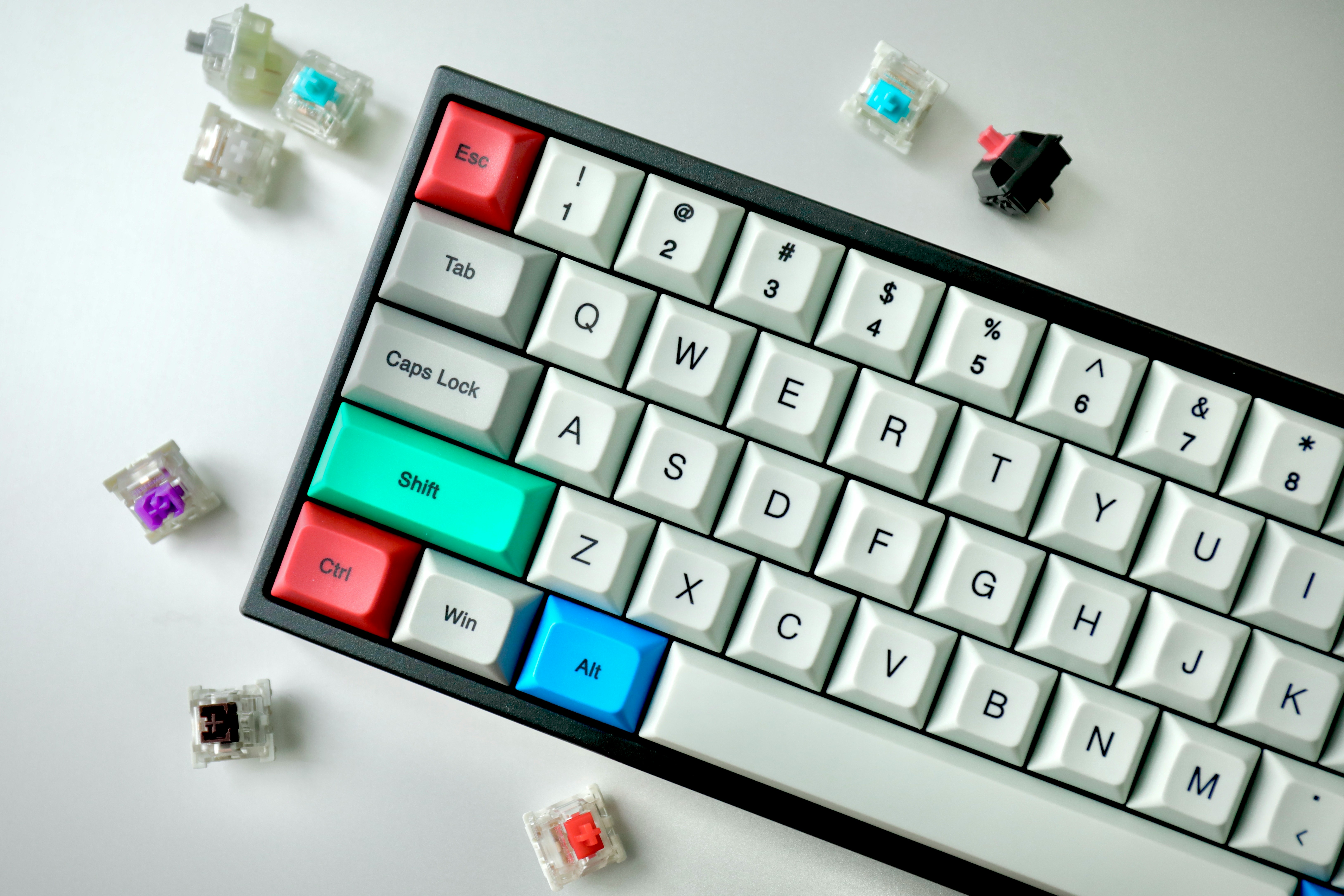
The PBT keycaps are a pleasant surprise at this price point. They use a Cherry profile with a subtle texture that provides good grip, and the legends are dye-sublimated and will never fade. The color scheme varies by model, with options ranging from clean white and gray to bold pastel themes. The keycap quality is better than expected for a budget keyboard — they have decent thickness and produce a satisfying sound. The south-facing RGB is bright and even, and the lighting shines cleanly through the keycap legends (on shine-through variants).
The hotswap PCB uses 5-pin sockets that accept virtually any MX-compatible switch, which is a significant advantage for users who want to experiment with different switches. The 4000mAh battery is generous for a keyboard at this price, providing excellent wireless battery life.
After a year of daily use, our review unit shows expected wear for a budget keyboard. The plastic case has developed minor scratches on the bottom from desk contact, but the visible surfaces remain clean. The LCD display still functions consistently with no dead pixels or dimming, and the rotary knob turns as smoothly as it did on day one. The PBT keycaps have resisted shine on the most-used keys, and the legends remain sharp.
The USB-C port is tight and secure, and the wireless connections have remained stable. The only durability concern is the LCD display — while it has held up well in our testing, displays on budget keyboards have historically been a point of failure, and long-term reliability remains to be seen.
The battery still holds approximately 80% of its original capacity after a year of daily wireless use, which is reasonable for a budget keyboard.
Typing Experience
The Epomaker Budgerigar linear switches are the TH80 Pro's stock switch option, and they deliver a typing experience that is smooth and consistent for a budget keyboard. The switches come pre-lubed from the factory, and the lubrication is adequate — there is minimal scratchiness on most keys, though a few switches exhibit slight spring ping during fast typing. The 45g actuation force is light and responsive, making the switches well-suited for both typing and gaming. The sound profile is deeper and more muted than expected, thanks to the internal foam dampening and PBT keycaps.
The keyboard produces a clean, pleasant sound that is office-appropriate and won't disturb coworkers. Compared to the Akko CS switches in the 5075S, the Budgerigar switches are slightly less refined — the factory lubrication is less consistent, and there is more variation in sound and feel between individual switches.
The Cherry profile PBT keycaps contribute to a comfortable, familiar typing experience. The sculpted profile provides a natural typing angle, and the texture is smooth with a subtle grip. The keycaps have decent thickness for a budget keyboard, producing a satisfying sound that is deeper than thin ABS keycaps.
The legends are sharp and well-centered, and the dye-sublimation ensures they will never fade. The keycap quality is one of the TH80 Pro's strengths, and the Cherry profile is a safe choice that will feel familiar to most users.
The hotswap PCB means you can easily upgrade the switches if you find the stock Budgerigars lacking — popular upgrades include Gateron Milky Yellow Pro for a deeper sound, Akko CS Jelly for smoother travel, or Gateron Oil Kings for premium smoothness.
Stabilizer performance on the TH80 Pro is acceptable for a budget keyboard but not exceptional. The spacebar has minimal rattle — a pleasant surprise — but there is slight ticking during fast typing that becomes noticeable in quiet environments. The backspace, enter, and shift keys are more consistent, with a sound that matches the surrounding keys reasonably well. The stabilizers are plate-mounted and factory-lubed with a conservative amount of grease.
Adding additional lubrication can improve the sound and feel, and the process is straightforward. For users who are comfortable with basic keyboard modding, a stabilizer tune-up is a quick and rewarding upgrade that significantly improves the typing experience.
The hotswap PCB makes disassembly easy, and the keyboard's simple construction means there is minimal risk of damaging components during modification.
Long-term typing comfort on the TH80 Pro is good but not exceptional. The Cherry profile keycaps and moderate typing angle provide a comfortable position for most users, and the 800g weight is enough to keep the keyboard stable during typing. The plastic case and tray-mount design provide minimal flex, which means the typing experience is firmer and less forgiving than gasket-mounted keyboards. This can lead to more finger fatigue during extended typing sessions compared to keyboards like the MonsGeek M1W or Keychron Q1 Pro. The 75% layout is practical and efficient, with dedicated arrow keys and a function row that make it suitable for productive work.
The rotary knob is a useful addition for productivity, allowing quick volume adjustments without moving your hand to the mouse. For users who type for 4-6 hours a day, the TH80 Pro is a capable daily driver.
For users who type for 8+ hours, a gasket-mounted keyboard with more flex would provide better long-term comfort.
Gaming Performance
The Epomaker TH80 Pro performs surprisingly well for gaming, thanks to its triple-mode wireless connectivity and responsive switches. The 2.4GHz wireless connection provides approximately 1ms of latency, which is indistinguishable from wired for casual and semi-competitive gaming. In testing across Valorant, Apex Legends, and League of Legends, the keyboard felt responsive with no perceptible input lag over 2.4GHz.
The Bluetooth connection introduces approximately 8-10ms of additional latency, which is fine for single-player games but not recommended for competitive play. The wired USB-C connection provides the lowest latency and is the preferred mode for competitive gaming.
The Budgerigar linear switches, with their light 45g actuation and smooth travel, are well-suited for gaming — they allow fast, effortless keypresses and are responsive enough for rapid repeated inputs.
The compact 75% layout is a practical advantage for gaming, freeing up desk space for low-sensitivity mouse movements. The dedicated arrow keys and function row are accessible without layers, which is convenient for games that use these keys for common functions. The hotswap PCB means you can install speed switches like Kailh Speed Silvers for faster actuation during gaming sessions, then swap back to the stock switches for typing.
The 4000mAh battery provides enough power for extended wireless gaming sessions — with RGB off, the keyboard can last over 200 hours on a single charge. The ability to use the keyboard in wired mode while charging means you never have to stop gaming due to a dead battery.
The RGB lighting can be configured with gaming-oriented reactive effects, adding a subtle gaming aesthetic without the aggressive look of dedicated gaming keyboards.
Compared to dedicated gaming keyboards, the TH80 Pro lacks gaming-specific features like 8000Hz polling, Rapid Trigger, or adjustable actuation. It is not a competitive gaming keyboard and should not be considered as one. However, for casual gamers who want a budget wireless keyboard that handles both typing and gaming, the TH80 Pro is an excellent value.
The triple-mode connectivity provides flexibility for different gaming setups — 2.4GHz for low-latency gaming on a desktop, Bluetooth for casual gaming on a laptop or tablet, and wired for the lowest possible latency. The LCD display can show system information like CPU/GPU temperature during gaming, which is a useful feature that no other budget keyboard offers.
For the price, the gaming performance is impressive and exceeds what most users would expect from a sub-$90 wireless keyboard.
Software & Customization
The Epomaker Driver software is the TH80 Pro's Achilles' heel. It is functional but rough around the edges, with a dated interface, occasional bugs, and limited features compared to established options like VIA or iCUE. The software allows key remapping, macro programming, RGB customization, and LCD display configuration, but the experience is less polished than what users expect from modern software.
Key remapping is basic — you can reassign keys but cannot create complex multi-layer configurations or tap-dance keys. Macro programming supports simple key sequences with timing delays, which is adequate for basic productivity macros but insufficient for complex gaming macros.
The RGB customization offers per-key control with several built-in effects, though the effect selection is limited and the interface is unintuitive.
The LCD display customization is the software's most useful feature. You can upload custom images or GIFs to display on the screen, configure what information is shown (battery, connection mode, time), and adjust brightness. The upload process is straightforward, and the display renders images reasonably well despite its small size. The rotary knob can be programmed for different functions through the software, though the options are limited compared to keyboards with QMK/VIA support. The software is Windows-only, which limits its usefulness for Mac and Linux users.
The onboard memory stores basic settings (keymap, RGB, display image), but advanced features require the software to be running. This is a limitation for users who switch between multiple computers or prefer not to run background software.
The software's bugs and stability issues are the main concern. During our testing, the software occasionally failed to recognize the keyboard, required restarts to apply changes, and crashed when uploading large GIF files. These issues are not dealbreakers — the keyboard's core functionality works without the software — but they are frustrating for users who want to customize their keyboard. Epomaker has released updates that have improved stability, but the software still lags behind the quality of the hardware. For users who are comfortable with the default configuration and don't need extensive customization, the software limitations are minor.
For power users who rely on deep customization, the lack of QMK/VIA support and the buggy software are significant drawbacks. This is the area where Epomaker could most improve the TH80 Pro, and adding VIA support in a future revision would dramatically increase the keyboard's value proposition.
Who Should Buy This
The Epomaker TH80 Pro is the best wireless keyboard under $90 and the ideal choice for budget-conscious users who want modern features without breaking the bank. The smart LCD display, triple-mode wireless connectivity, rotary knob, and hotswap PCB are features typically found on keyboards costing $150+, and their inclusion at this price point is remarkable. The keyboard is particularly well-suited for students, remote workers on a budget, and first-time mechanical keyboard buyers who want wireless freedom and modern features.
The hotswap PCB means the keyboard can be upgraded over time — start with the stock Budgerigar switches, experiment with different options, and improve the typing experience as your budget allows.
However, the TH80 Pro has clear limitations that reflect its budget positioning. The plastic case lacks the premium feel and acoustic properties of aluminum. The Epomaker Driver software is buggy and Windows-only. The stock stabilizers and switches are good but not great. The keyboard lacks QMK/VIA support, which limits customization for power users.
If you can stretch your budget to $130, the MonsGeek M1W offers an aluminum case, better build quality, QMK/VIA support, and a larger battery — a significant upgrade in every dimension. If you don't need wireless connectivity, the Akko 5075S offers better keycaps and switches for less money. The TH80 Pro's value proposition is entirely based on its feature set at its price point — no other keyboard under $90 offers wireless connectivity, a display screen, a knob, and hotswap.
For the budget-conscious user who wants it all without spending it all, the Epomaker TH80 Pro is the smartest choice available.