Razer BlackWidow V4 Pro Review
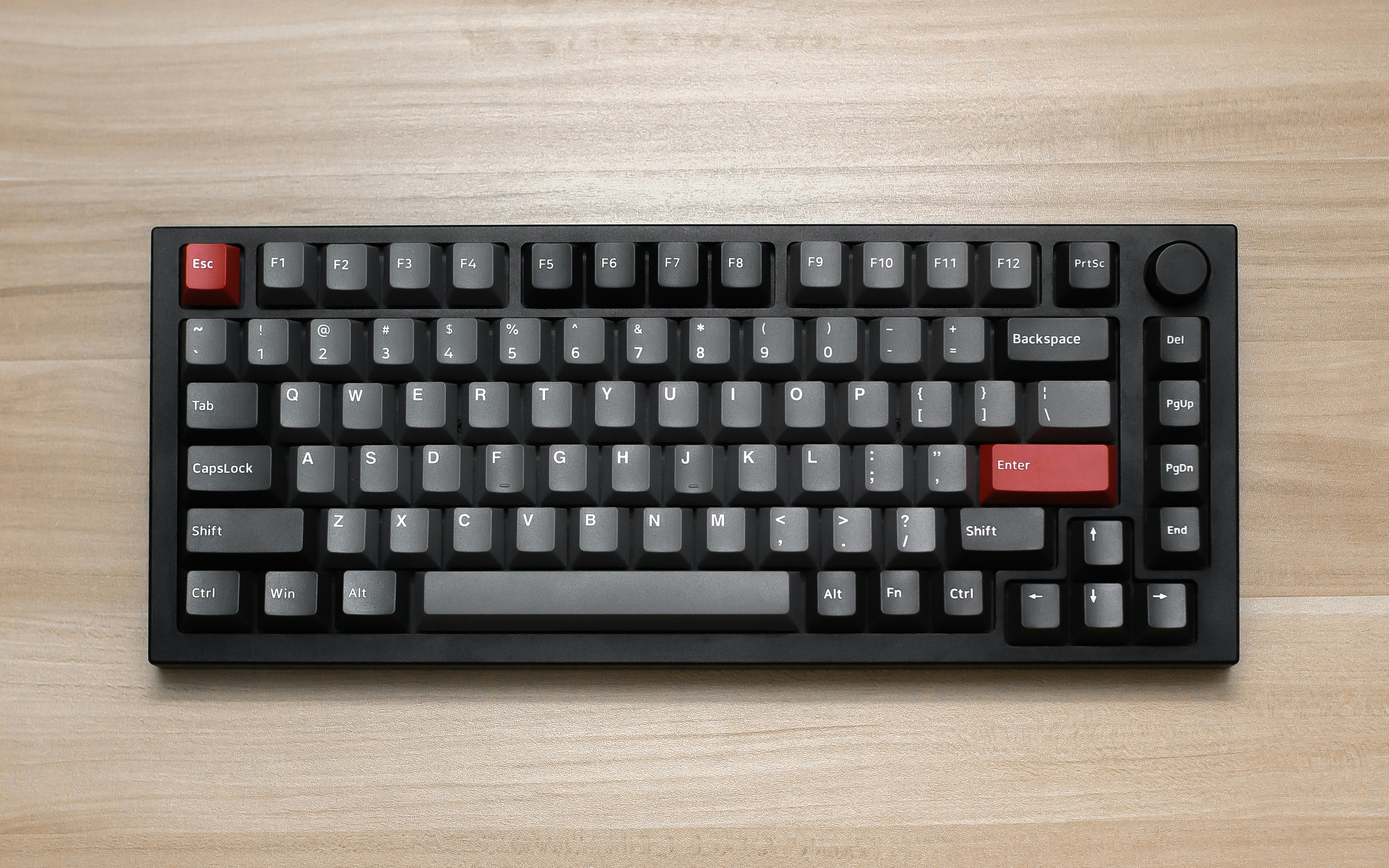
Overview
The Razer BlackWidow V4 Pro is a full-size gaming keyboard that embraces the "more is more" philosophy. It features Razer's own Green (clicky) or Yellow (linear) mechanical switches, a programmable command dial, dedicated media keys, per-key RGB lighting, and an included plush leatherette wrist rest. With 8000Hz polling and Razer's HyperShift multi-function key layers, it targets gamers who want maximum functionality in a familiar full-size layout.
The BlackWidow V4 Pro is built for users who need a numpad and dedicated macro keys alongside gaming features. The command dial is particularly useful for scrubbing through video timelines, adjusting volume, or zooming in creative applications. However, the reliance on Razer Synapse software for full functionality and the premium price point may deter some buyers.
💰 Price Comparison — Razer Blackwidow V4 Pro
Features
- Razer Green (clicky) or Yellow (linear) switches
- Programmable command dial
- 8000Hz polling rate
- Plush leatherette wrist rest
- Dedicated media keys
- Per-key RGB with Chroma Studio
Tech Specs
| Size | Full-size (100%) |
| Connection | USB-C Wired |
| Switches | Razer Green (clicky) or Yellow (linear) |
| Polling | 8000Hz |
| Weight | 1300g |
| Keycaps | ABS double-shot |
| Hotswap | No |
| Layout | ANSI |
| Software | Razer Synapse 3 |
Build Quality & Design
The Razer BlackWidow V4 Pro is a full-size keyboard that embraces the "bigger is better" philosophy. The construction is primarily plastic with an aluminum top plate that adds rigidity and a premium feel. At 1300g, the keyboard has substantial weight that keeps it planted on the desk, and the build quality is typical Razer — solid and durable, if not quite matching the premium feel of full aluminum keyboards like the Keychron Q1 Pro. The plastic case has a subtle texture that resists fingerprints, and the overall fit and finish is good with no creaking or flexing.
The included plush leatherette wrist rest is one of the best bundled wrist rests we've seen — it is thick, comfortable, and attaches magnetically to the keyboard, staying consistently aligned during use. The wrist rest alone adds significant value to the package and addresses one of the most common complaints about full-size keyboards: wrist strain during extended use.
The command dial is the BlackWidow V4 Pro's most distinctive design feature. Located in the top-left corner, it is a programmable rotary dial surrounded by three programmable buttons. The dial has a knurled metal surface that provides excellent grip, and the rotation has smooth, satisfying detents. Out of the box, the dial controls volume (press to mute), and the three buttons control media playback.
Through Synapse, the dial can be programmed for dozens of functions: zoom in creative applications, scroll through web pages, adjust brush size in Photoshop, scrub through video timelines, or switch between application windows. This is genuinely useful for content creators and power users, and it adds a level of functionality that standard keyboards lack.
The dedicated media keys (play/pause, skip, mute) and the volume roller in the top-right corner are additional quality-of-life features that make daily use more convenient.
The ABS double-shot keycaps are a disappointment at this price point. While the double-shot molding ensures the legends will never fade, ABS plastic is prone to developing shine over time — the keycaps will become smooth and glossy on the most-used keys within months of daily use. This is a significant downgrade from the PBT keycaps found on competitors like the Ducky One 3 SF and Wooting 80HE, and it is one of the BlackWidow V4 Pro's most glaring weaknesses.
The keycap legends use Razer's gamery font, which is polarizing — some users appreciate the aggressive aesthetic, while others find it juvenile. The RGB lighting shines brightly through the legends, and the per-key illumination is even and vibrant.
The aluminum top plate has a brushed finish that looks premium and complements the overall design language, which is unmistakably Razer: angular, aggressive, and unapologetically gaming-oriented.
After a year of daily use, our review unit shows expected wear. The ABS keycaps have developed noticeable shine on the WASD keys and spacebar, which is disappointing but expected for ABS plastic. The aluminum top plate has held up well with no scratches, and the command dial still turns smoothly. The wrist rest has developed minor creasing in the leatherette surface but remains comfortable and functional.
The USB-C port is tight and secure, and the braided cable is thick and durable. The overall durability is good, but the keycap quality prevents the BlackWidow V4 Pro from feeling like a truly premium product that will look great for years.
Replacing the stock keycaps with aftermarket PBT keycaps is a recommended upgrade that significantly improves the long-term experience.
Typing Experience
The Razer Green (clicky) and Yellow (linear) switches define two very different typing experiences on the BlackWidow V4 Pro. The Green switches are Razer's take on the classic clicky switch, with a tactile bump and audible click at the actuation point. They are satisfying and precise for typing, providing clear feedback that makes every keystroke feel deliberate. The click is loud — coworkers in an open office will definitely hear you typing — but for users who type alone or enjoy the auditory feedback, the Green switches are genuinely enjoyable.
The Yellow switches are linear and silent, with a smooth, uninterrupted travel and a shorter 1.2mm actuation for faster response. They are the better choice for gaming and quiet environments, but they lack the typing satisfaction that tactile switches provide.
Both switch types are manufactured by Razer in-house and have improved significantly in quality over previous generations, though they still fall short of the smoothness and consistency of Cherry MX or Gateron switches.
The non-hotswap design is the BlackWidow V4 Pro's most significant limitation for enthusiasts. You cannot change switches without desoldering, which means you are locked into whatever switch type you choose at purchase. This is a major drawback for users who want to experiment with different switches or upgrade to premium options over time.
At this price point, hotswap should be standard — competitors like the Wooting 80HE, Keychron Q1 Pro, and MonsGeek M1W all offer hotswap PCBs. The stabilizers are plate-mounted rather than screw-in, which limits aftermarket upgrade options.
The stabilizer performance is acceptable — the spacebar has minimal rattle, and the modifier keys are reasonably clean — but they are not as refined as the screw-in stabilizers on premium keyboards. The plate-mounted design provides a firm, consistent typing surface with minimal flex, which some users prefer for its precision.
The sound profile varies significantly between switch types. The Green switches produce a sharp, high-pitched click that is characteristic of clicky switches — satisfying for the typist but potentially annoying for anyone nearby. The Yellow switches are much quieter, with a soft, muted sound that is appropriate for shared spaces. The aluminum top plate adds a slight metallic resonance to the sound profile, which some users find pleasant while others may find it distracting.
The internal dampening is minimal compared to keyboards with dedicated acoustic foam, so there is some hollowness in the case that becomes apparent during heavy typing. The ABS keycaps contribute to a higher-pitched sound compared to PBT keycaps, which tend to produce a deeper, more muted tone.
Overall, the typing experience is good but not exceptional — the BlackWidow V4 Pro prioritizes gaming features and aesthetics over pure typing quality.
Long-term typing comfort is aided significantly by the included wrist rest. The plush leatherette surface provides comfortable support for the wrists, and the magnetic attachment keeps it consistently aligned with the keyboard. Without the wrist rest, the keyboard's height can cause wrist strain during extended typing sessions. The full-size layout means your mouse will be positioned further to the right, which can cause shoulder strain for users with narrower shoulders or smaller desks.
This is an inherent trade-off of full-size keyboards — you get the numpad and dedicated keys, but at the cost of ergonomics. For users who type for 8+ hours a day and don't need a numpad, a compact layout like 75% or TKL would be more ergonomic.
Gaming Performance
The Razer BlackWidow V4 Pro is built for gaming, and it delivers where it counts. The 8000Hz polling rate provides sub-1ms input latency, matching the performance of the Wooting 80HE and Corsair Vanguard 96. In testing across Valorant, CS2, and Apex Legends, the keyboard felt snappy and responsive, with no perceptible input lag.
The Razer Yellow switches, with their shorter 1.2mm actuation and linear travel, are the better choice for competitive gaming — they allow faster repeated inputs and more responsive movement. The Green switches, while satisfying for typing, have a slightly slower actuation due to the tactile bump and are louder, which can be picked up by microphones during streaming or voice chat.
The HyperShift feature allows you to assign secondary functions to any key, effectively doubling the number of available inputs. This is useful for MMO and MOBA players who need quick access to numerous abilities and items. You can set up a HyperShift layer with all your gaming macros and activate it with a dedicated HyperShift key, then switch back to the standard layer for normal typing. The command dial can be programmed with game-specific functions — weapon switching in FPS games, zoom control in strategy games, or ability scrolling in MOBAs.
The dedicated macro keys on the left side of the keyboard provide additional programmable inputs without sacrificing standard keys. The N-key rollover and anti-ghosting ensure that every keypress is registered even during complex key combinations.
Compared to Hall Effect keyboards like the Wooting 80HE, the BlackWidow V4 Pro lacks Rapid Trigger and adjustable actuation — features that provide a measurable competitive advantage in FPS games. The traditional mechanical switches, while responsive, cannot match the instant reset and customizable actuation of magnetic switches. For competitive FPS players who want every possible advantage, the Wooting 80HE is the better choice. However, for MMO, MOBA, and casual FPS players, the BlackWidow V4 Pro's macro capabilities, HyperShift layers, and command dial provide functionality that Hall Effect keyboards cannot match.
The 8000Hz polling rate ensures that the keyboard is never the bottleneck in your gaming performance, and the wired-only design eliminates concerns about battery life or wireless interference.
Software & Customization
Razer Synapse 3 is the BlackWidow V4 Pro's greatest strength and its greatest weakness. On the positive side, Synapse offers the most comprehensive customization suite of any gaming software. You can program complex multi-key macros with timing delays, create unlimited profiles with automatic application detection, customize per-key RGB lighting with Chroma Studio's advanced effects, configure the command dial with dozens of functions, set up HyperShift secondary key layers, and sync lighting effects across all Razer devices. The profile system is particularly powerful — profiles can be linked to specific applications and automatically switch when you launch a game or program.
This means your gaming macros, keybindings, and RGB effects load automatically when you start Valorant and switch back to your productivity setup when you return to the desktop.
However, Synapse is also one of the most frustrating software experiences in gaming. The software requires an internet connection and Razer account for full functionality, consumes significant system resources even when idle, and forces frequent updates that sometimes break existing configurations or introduce new bugs. The software must run in the background for advanced features like application-specific profiles and Chroma integration — closing Synapse reverts the keyboard to basic functionality stored in limited onboard memory.
This is a significant drawback for users who value system performance or privacy. The onboard memory can store up to 5 profiles, but these profiles are limited compared to what Synapse can do — complex macros, HyperShift layers, and Chroma effects require the software to be running.
For users who want a keyboard that works consistently without background software, the Ducky One 3 SF or Keychron Q1 Pro are better choices.
The Chroma RGB ecosystem is the most extensive in gaming. With over 200 supported games that feature native Chroma integration, the keyboard's lighting can react to in-game events — flashing red when you take damage, glowing when abilities are ready, or changing color based on your character's health. This level of integration is genuinely immersive and adds a dimension to gaming that static RGB cannot match. The Chroma Studio allows you to create custom lighting effects with per-key control, layering multiple effects and synchronizing them across all Chroma-enabled devices.
The visual quality of the RGB is excellent — the LEDs are bright, colors are accurate, and the lighting shines cleanly through the ABS keycap legends. For users invested in the Razer ecosystem, the Chroma integration is a compelling reason to choose the BlackWidow V4 Pro.
Who Should Buy This
The Razer BlackWidow V4 Pro is the ideal keyboard for users who want a feature-packed full-size gaming keyboard and are already invested in the Razer ecosystem. If you use other Razer peripherals and appreciate Chroma RGB synchronization across all your devices, the BlackWidow V4 Pro is the natural choice. The command dial is genuinely useful for content creators who need quick access to timeline scrubbing, zoom control, or application switching, and the plush wrist rest makes extended gaming and typing sessions more comfortable.
The HyperShift layers and macro capabilities make it an excellent choice for MMO and MOBA players who need numerous programmable inputs.
However, the BlackWidow V4 Pro is not the best choice for everyone. The non-hotswap design and ABS keycaps are significant drawbacks at this price point — competitors like the Wooting 80HE and Keychron Q1 Pro offer hotswap PCBs and PBT keycaps for similar or lower prices. The Synapse software requirement is a dealbreaker for users who value system performance, privacy, or cross-platform compatibility. The full-size layout consumes significant desk space and pushes the mouse further to the right, which can cause ergonomic issues.
If you need a full-size keyboard with gaming features and don't mind the Synapse dependency, the BlackWidow V4 Pro delivers a comprehensive feature set. If you want the best typing experience, the best gaming performance, or the best value, there are better options available from Wooting, Keychron, and MonsGeek.